How vLLM Semantic Router Trains Embedding Models and Publishes Them to Hugging Face


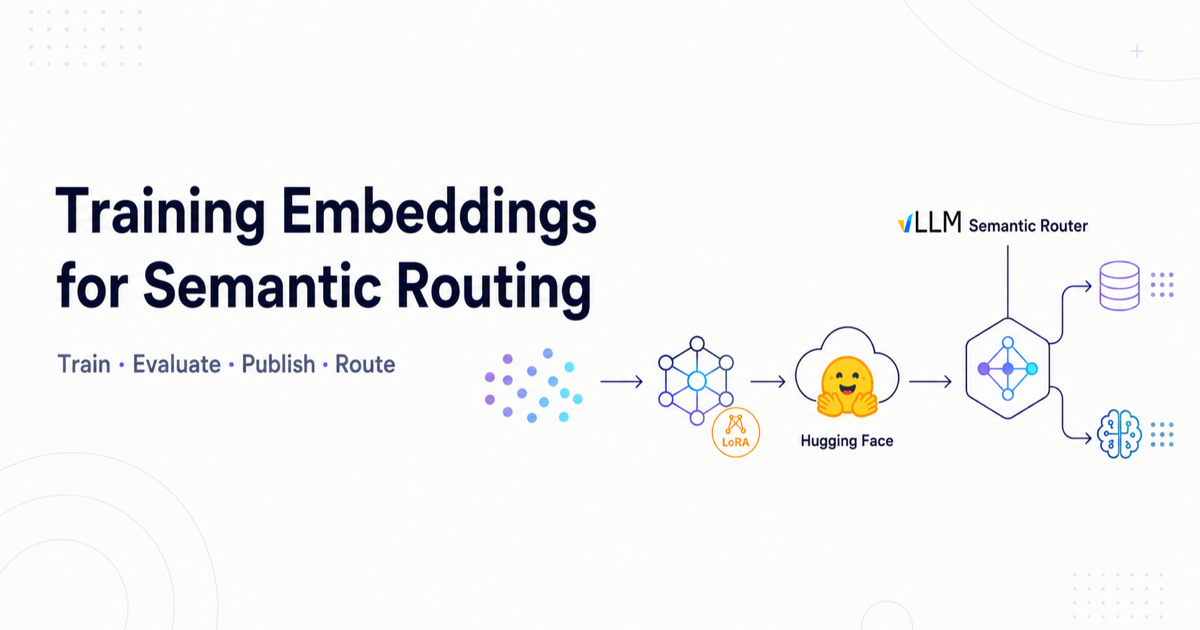
vLLM Semantic Router does not only forward prompts to one LLM. It classifies and routes requests using signals — keywords, classifiers, and embeddings.
Embeddings turn text into vectors. The router then:
- matches a query to category or anchor prompts (routing signals), or
- decides whether a new query is similar enough to reuse a semantic cache hit.
A general-purpose embedder (for example MiniLM) is good on average, but weak on specialized language (medical, law, code). So the project fine-tunes embeddings for those jobs, then publishes them on Hugging Face for everyone to download.
Training does not live inside the Go router. It lives under
src/training/model_embeddings/
(Python). The router later loads the published models from the
llm-semantic-router org.
End-to-end picture
Domain data (queries / Q&A)
        ↓
Build training triplets (anchor, positive, negative)
        ↓
Fine-tune base embedding model (LoRA or full)
        ↓
Evaluate (margin / MRR / recall)
        ↓
Upload to Hugging Face (llm-semantic-router/...)
        ↓
Users / CI download model
        ↓
Semantic Router uses it for routing or cache similarity
There are two main pipelines.
Pipeline A — Cache embedding LoRA
Path:
src/training/model_embeddings/cache_embeddings/
Job: Improve semantic cache accuracy so “same intent” hits and “related but different” misses.
Step 1 — Collect unlabeled queries
Prepare a JSONL file with one query per line for a domain (for example medical
questions). See
domains/README.md.
Step 2 — Generate triplets with an LLM
generate_training_data.py (optionally via vLLM) builds contrastive samples:
| Field | Meaning | Example |
|---|---|---|
| Anchor | Paraphrase | “How do doctors diagnose diabetes?” |
| Positive | Same meaning | Original query |
| Negative | Related but different intent | “What are diabetes symptoms?” |
That teaches: paraphrases should be close; near-misses should stay apart — exactly what a cache needs.
python3 src/training/model_embeddings/cache_embeddings/generate_training_data.py \
  --input data/cache_embeddings/medical/unlabeled_queries.jsonl \
  --domain medical \
  --output data/cache_embeddings/medical/triplets.jsonl \
  --max-queries 10000
Step 3 — Train a LoRA adapter
lora_trainer.py fine-tunes a small LoRA on a base such as
sentence-transformers/all-MiniLM-L12-v2.
- LoRA is small (on the order of hundreds of KB), not a full retrain.
- Training uses contrastive / MNR-style loss on triplets.
python3 src/training/model_embeddings/cache_embeddings/lora_trainer.py \
  --train-data data/cache_embeddings/medical/triplets.jsonl \
  --base-model sentence-transformers/all-MiniLM-L12-v2 \
  --output models/cache/medical-cache-lora \
  --epochs 1
You can also train a multi-domain adapter by concatenating domain triplet files and training once.
Step 4 — Evaluate
Primary cache metric:
margin = avg(similarity to positives) − avg(similarity to negatives)
Higher margin means better separation and fewer false cache hits.
python3 src/training/model_embeddings/cache_embeddings/evaluate_multi_domain.py \
  --lora-path models/multi-domain-cache-lora-L12 \
  --sample-size 2000
Step 5 — Push to Hugging Face
After training (also supported by train-domain.sh):
cd models/cache/medical-cache-lora
huggingface-cli upload llm-semantic-router/<model-name> . --repo-type model
Published examples:
Step 6 — Consume
Download the adapter, attach it to the base MiniLM with PEFT, and encode queries for cache similarity:
from sentence_transformers import SentenceTransformer
from peft import PeftModel

base_model = SentenceTransformer("sentence-transformers/all-MiniLM-L12-v2")
base_model[0].auto_model = PeftModel.from_pretrained(
    base_model[0].auto_model,
    "llm-semantic-router/multi-domain-cache-lora-L12",
)
embedding = base_model.encode("What are the symptoms of diabetes?")
Pipeline B — Domain-adapted full embeddings
Path:
src/training/model_embeddings/domain_adapted_embeddings/
Job: Better retrieval / domain routing vectors (for example medical), not only cache LoRA.
Inspired by Distilling an LLM’s Wisdom….
Step 1 — Prepare data
prepare_data.py loads a Hugging Face dataset or custom Q&A JSON (question →
answering passage).
python prepare_data.py \
  --source huggingface \
  --dataset keivalya/MedQuad-MedicalQnADataset
Step 2 — Iterative hard-negative mining
- Embed with the current model.
- Mine hard triplets (true docs ranked low; wrong docs ranked high).
- Keep some easy triplets so the model does not forget.
- Fine-tune with TripletLoss (margin ≈ 0.1).
- Repeat about two iterations, accumulating triplets.
Base model is often mmbert-embed-32k-2d-matryoshka.
python train.py \
  --data-dir data \
  --output-dir models/trained \
  --base-model llm-semantic-router/mmbert-embed-32k-2d-matryoshka \
  --iterations 2 \
  --learning-rate 5e-5 \
  --margin 0.1
Critical knobs: learning rate 5e-5, margin 0.1, easy:hard ratio about 2:1,
and accumulate triplets across iterations.
Step 3 — Measure gains
On MedQuAD, MRR@5 improved about 71% versus baseline after two iterations. The published model is mmbert-embed-medical.
Step 4 — Upload the full model to Hugging Face
Same pattern: local models/trained/best → huggingface-cli upload to
llm-semantic-router/....
How Hugging Face fits (publish + pull)
| Phase | What happens |
|---|---|
| Publish | Login with a token that can write to llm-semantic-router, then upload model or dataset repos |
| Discover | huggingface.co/llm-semantic-router |
| Pull | CI, docs, and users use snapshot_download / hf_hub_download / model id in config |
| Iterate | New domain data or a better recipe → retrain → new revision on the Hub |
Training is continuous in spirit: better data or hyperparameters → new fine-tune → new Hub upload.
How this reconnects to the running router
User prompt
  → Embedding model (from HF / local cache)
  → Vector similarity vs anchors / cache entries
  → Signal(s)
  → Decision (AND/OR rules)
  → Algorithm (confidence, fusion, …)
  → Backend LLM
We do not train the chat LLM for routing. We train small embedding models so the router’s similarity signals stay accurate for real domains, then ship those models on Hugging Face as shared community assets.
Try it yourself
| Track | Start here |
|---|---|
| Cache LoRA | cache_embeddings/README.md |
| Domain full fine-tune | domain_adapted_embeddings/USAGE.md |
| Hub org | llm-semantic-router |
One-line summary
vLLM Semantic Router fine-tunes embedding models with contrastive/triplet
learning on domain triplets, uploads them to the llm-semantic-router Hugging
Face org, and downloads them at runtime so routing and semantic cache similarity
stay accurate.